If you’ve ever thought, “I swear I messaged that client back” or “I’ll follow up later”—only to realise the lead went cold—you’re not alone. Most businesses aren’t losing customers because of bad service… they’re losing them because no one followed up at the right time.
And in today’s world, where people expect instant answers and quick responses, relying on memory or manual follow-ups is almost guaranteed to cost you leads and revenue.
That’s where learning how to automate follow-ups becomes a game-changer for any small business, service provider, or agency owner.
Why Follow-Ups Matter More Than Ever
Contents: Jump to a Section
Here’s the truth:
Most leads don’t convert on the first message… or even the second.
People get busy. They forget. They get distracted.
So even if someone showed interest, they need a little nudge—sometimes multiple nudges—before they take action.
But here’s the catch:
You also run a business. You have clients to serve, admin to manage, a thousand things to juggle. Following up with every lead manually is nearly impossible.
This is where businesses usually slip:
- You receive an enquiry… and reply hours later.
- You send a quote… but never chase it.
- Someone books a call… but you don’t remind them.
- A hot lead goes cold simply because no one checked in.
Automated follow-ups solve all of this instantly.
What “Automated Follow-Ups” Actually Means
Let’s keep it real:
Automation does not replace your service, your personality, or your customer experience.
It simply takes the repetitive tasks off your plate.
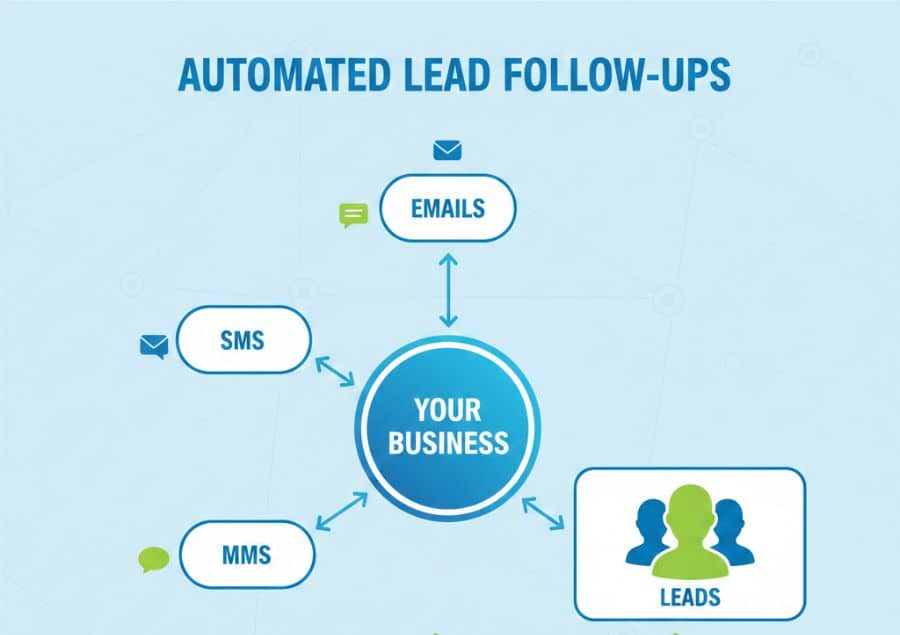
Automated follow-ups mean:
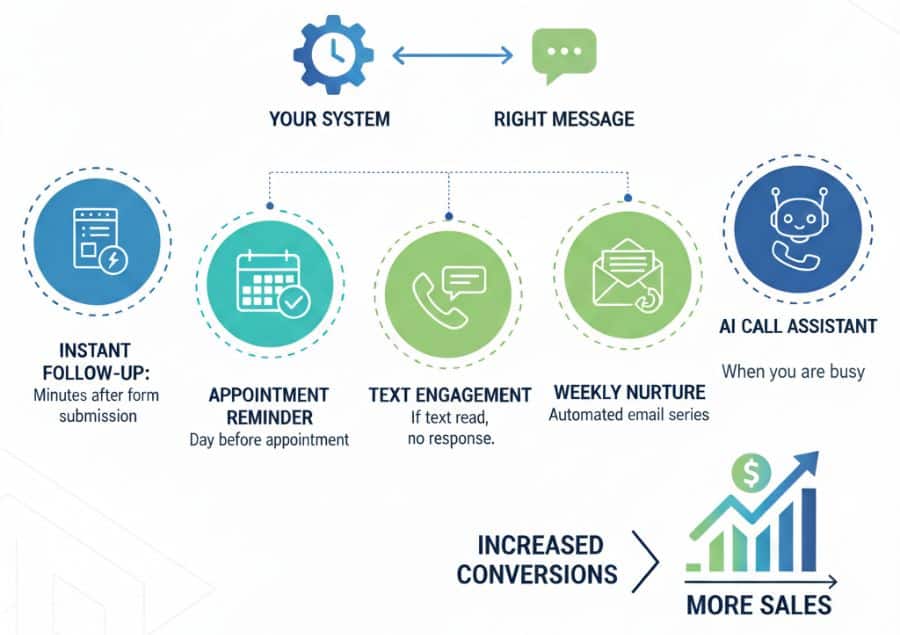
Your system sends the right message, at the right time, automatically—based on actions your leads take (or don’t take).
This could be:
- A message minutes after someone submits a form
- A reminder the day before an appointment
- A follow-up message if someone reads your text but doesn’t respond
- A nurture email that goes out weekly
- A call answered by AI when you’re unavailable
Think of it like hiring the most reliable assistant in the world—one that never forgets, never sleeps, and always follows instructions perfectly. And for small businesses, this isn’t optional anymore. It’s necessary.
How to Automate Follow-Ups
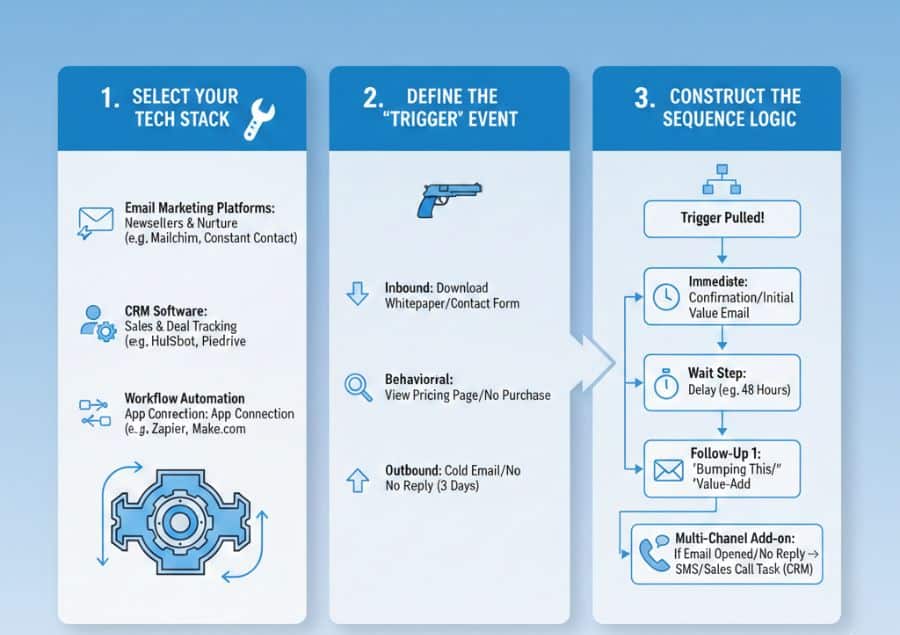
Automating your follow-ups ensures no lead falls through the cracks while saving you hours of manual entry. Here is the step-by-step process to building a workflow that runs on autopilot.
1. Select Your Tech Stack You cannot automate without the right engine. Choose the tool that best fits your business model:
- Email Marketing Platforms: Best for newsletters and general nurture (e.g., Mailchimp, Constant Contact).
- CRM Software: Best for sales teams tracking individual deal stages (e.g., HubSpot, Pipedrive).
- Workflow Automation: Best for connecting different apps (e.g., Zapier, Make.com).
2. Define the “Trigger” Event Every automation needs a starting gun. Identify the specific user action that will initiate the sequence:
- Inbound: A prospect downloads a whitepaper or fills out a contact form.
- Behavioral: A customer views a pricing page but doesn’t buy.
- Outbound: You send a cold email and receive no reply after 3 days.
3. Construct the Sequence Logic Once the trigger is pulled, map out the journey. A standard sequence looks like this:
- Immediate: Send confirmation or initial value email.
- Wait Step: Set a delay (e.g., 48 hours or 2 business days).
- Follow-Up 1: Send a “just bumping this” or value-add email.
- Multi-Channel Add-on: If using a CRM, trigger an SMS or a task for a sales rep to call if the email is opened but not replied to.
Crucial Setup Tip: Always configure your automation to “Stop on Reply.” If a prospect responds to your first email, the system must automatically pull them out of the sequence. Nothing kills credibility faster than an automated “Are you there?” email sent to someone who already replied.
4. Personalize at Scale Automation shouldn’t feel robotic. Use “merge tags” to insert the recipient’s name, company, or industry dynamically. Ensure every email has a clear subject line and a single, specific goal (e.g., “Book a call” or “Read this case study”).
5. Monitor and Optimize Set it and forget it, but don’t ignore it. Check your analytics monthly:
- Open Rates: Tells you if your subject lines are working.
- Click-Through Rates (CTR): Tells you if your offer is compelling.
- Reply Rates: Tells you if your message resonates.
Why Small Businesses Should Automate Follow-Ups
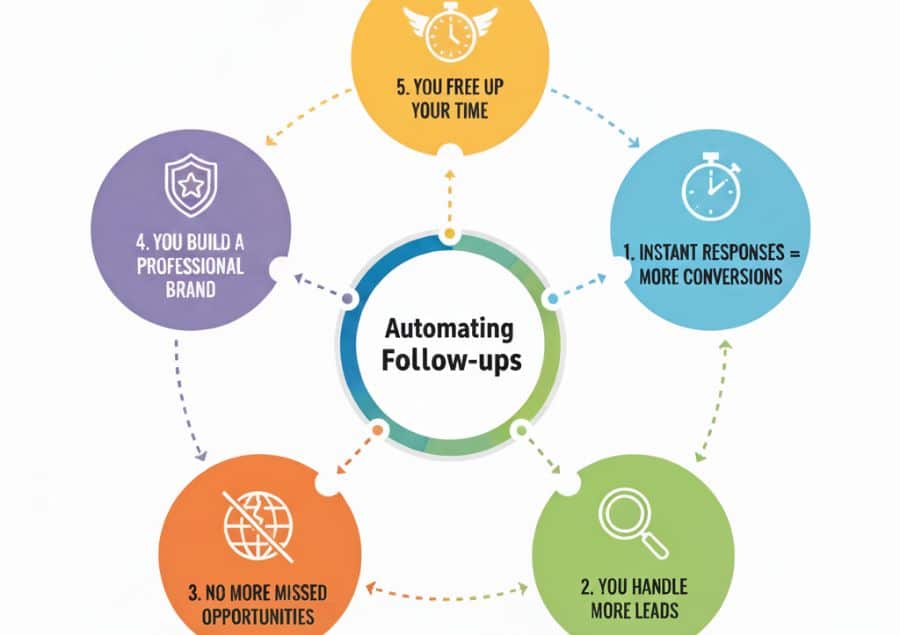
Here’s what automation really gives you:
1. Instant Responses = More Conversions
People today expect speed.
If someone enquires and you message back two hours later… they probably already contacted another business.
Automation lets you respond instantly—even at 2AM.
2. You Handle More Leads Without Working Harder
Whether you receive 10 enquiries a week or 100, automation keeps everything organised:
- New lead? Automatic welcome message.
- Missed call? Automated text reply.
- Quote sent? Automated follow-up sequence.
- Appointment booked? Automated reminders.
You can scale without burning out.
3. No More Missed Opportunities
A system doesn’t forget.
Even if you’re busy, tired, on holiday, or in a meeting… your follow-ups still happen.
This alone can recover 20–40% of “cold” leads.
4. You Build a Professional, Consistent Brand
People can feel when a business is organised.
Automated messages make you look polished, dependable, and on top of everything.
5. You Free Up Hours Every Week
Imagine never having to:
- chase quotes
- manually follow up
- send reminders
- check who responded
- track leads in spreadsheets
That’s hours back in your day—every single week.
Where Should You Start With Follow-Up Automation
Here’s the good news:
You don’t have to automate everything at once. Start with the areas that move the needle fastest.
1. Missed Call Follow-Up (Critical)
Most businesses lose the most leads here.
Someone calls.
You don’t answer.
They move on.
With Marketing Now’s AI call automation:
- The AI picks up the call instantly
- It talks to the customer
- It books the appointment
- Or transfers to you if needed
No voicemail.
No “Sorry I missed your call.”
No lost leads.
2. New Lead Follow-Up (Forms, Website, Social Inbox)
The moment someone fills a form or sends a message, they should get:
- A friendly intro
- Confirmation you received their message
- A next step (book a call, send more info, etc.)
This alone can triple conversions.
3. Quote or Proposal Follow-Up
Most people don’t say “no.” They say nothing.
A simple automated sequence can fix this:
- Day 1: “Hey, just checking if you had any questions.”
- Day 3: “Want me to walk you through the quote?”
- Day 7: “Still interested? I’d love to help.”
Gentle, friendly, but effective.
4. Appointment Reminders
No-shows cost money.
Automated reminders:
- 24 hours before
- 2 hours before
- 10 minutes before
Cut no-shows by 50–80%.
5. Review Requests
Happy customers won’t leave reviews unless you ask.
Automation sends:
- A message
- A link
- A thank-you reply
Automatically.
6. Long-Term Nurture Sequences
Even if a lead isn’t ready today, automation keeps your brand in their mind:
- Helpful tips
- Short educational messages
- Case studies
- Offers
- Reminders
This warms cold leads for future sales.
What You Should Automate First
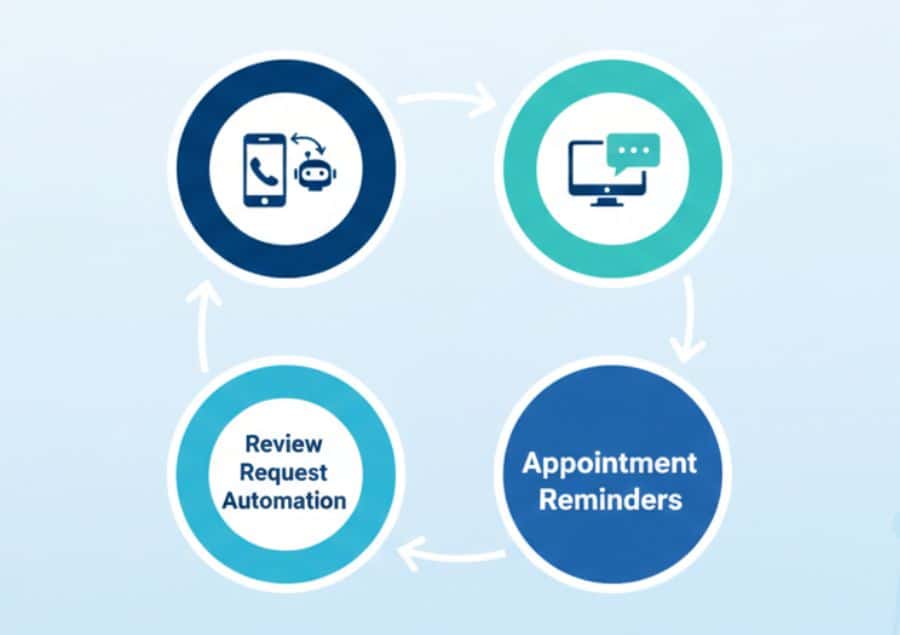
If you’re not sure where to begin, start here:
- Missed call → SMS follow-up or AI call pickup
- Website/contact form → Instant message response
- Appointment reminders
- Review request automation
These four alone can transform your customer experience and increase your lead conversion rate dramatically.
Let’s Automate Your Follow-Ups
If you’ve been wondering how to automate follow-ups in a way that actually works and doesn’t require tech skills, you don’t have to figure it out alone. Our Marketing Now SaaS system is built exactly for businesses like yours—busy, growing, and ready to stop letting leads slip through the cracks.
Call us at 03 9998 1979 or Contact us and we’ll walk you through how our system can automate your follow-ups, boost your SEO, streamline your marketing, and help you convert more leads—without working harder.